The whole gallery, on your network
Upload, organize, identify, and display. Everything happens locally.
One-Click Display
Docent doesn't just manage your art — it sends it to your TV. Press "Display on Frame" and the image appears on your wall instantly. Choose your frame and matte style right in the app. No Samsung app, no USB stick, no cloud upload. Just click.
Gallery View
Gorgeous scrolling view that lets you browse your art like a real gallery. Sort by year, artist, school, and more.
AI Art Analysis
Fill in art metadata like artist, title, year, medium, movement and mood automatically using Claude, GPT, Google Vision – or have them work together. Every field links to Wikipedia so you can keep learning.
Upload & Crop
Drag-and-drop upload with automatic 16:9 compliance checking. Non-conforming images open a built-in crop editor. Choose from shadow box, modern, and panoramic mattes.
Atmosphere
Get art that feels right for your day. Docent’s Atmosphere feature checks the weather, reads the mood tags on your art, and picks something that fits. Rainy Tuesday? Different wall than a bright Saturday. It even explains its choices, like a real Docent.
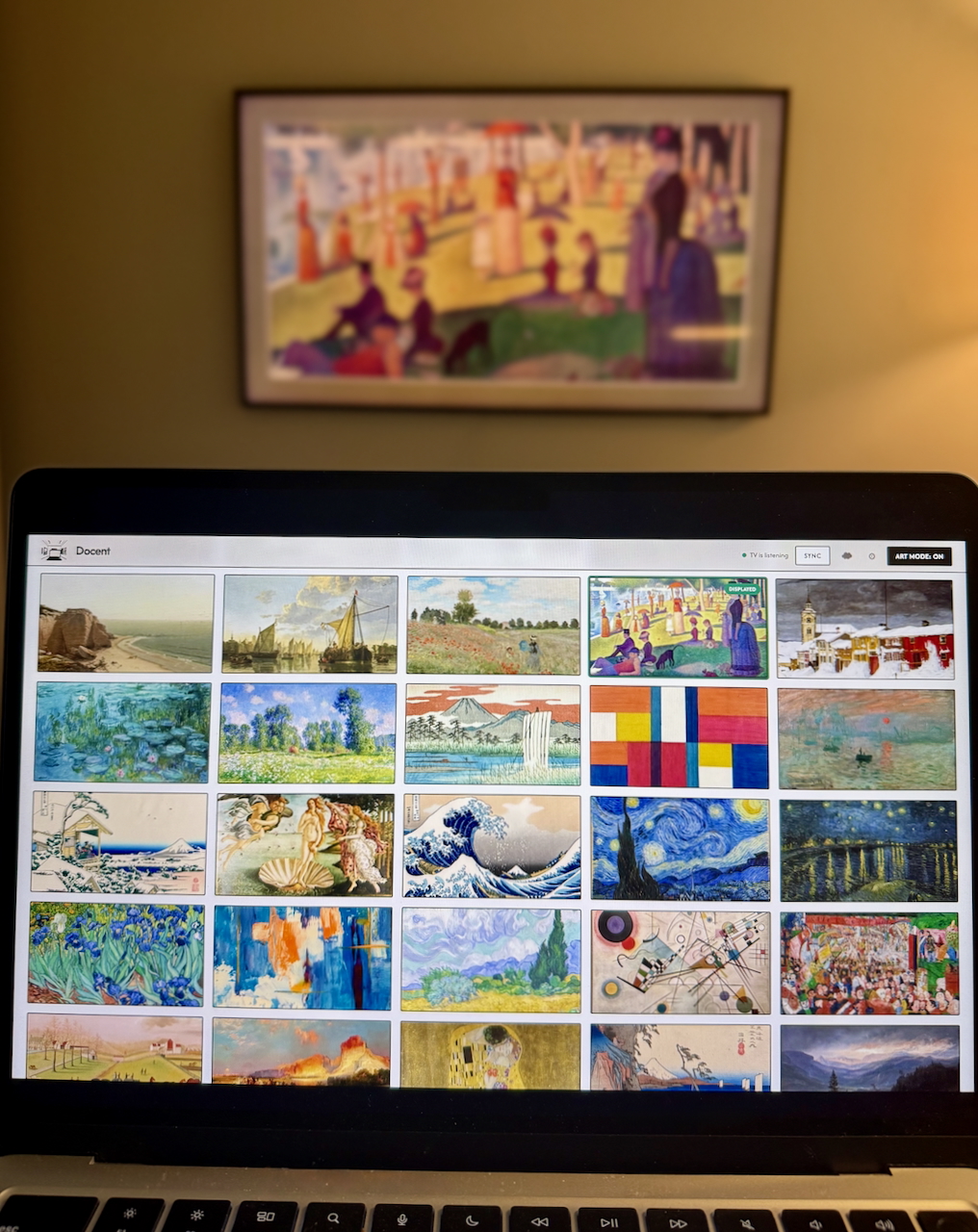 Docent managing a gallery on a Samsung Frame TV
Get going in two minutes, tops
No app store, no subscription, no cloud account. Docent is free open-source software that stays on your machine, runs on your network, and talks to your TV.
Clone & Launch
Double-click Docent.command or run from the terminal. A guided wizard handles setup — dependencies install automatically.
Connect Your TV
Enter your Frame TV's IP address. Docent connects over your local network. Your TV will ask you to allow it — press Allow on your remote.
Display
Browse your gallery, tap "Display on Frame" on any piece, and it's on your TV. That's it — one click from screen to wall. Or let Atmosphere pick for you based on the weather.
Two ways to figure out what's on the wall
Set up one or both. Either way, you get artist, title, year, and everything else back.
🔍 Stage 1: Identify
Google Vision reverse-image-searches your art across museum databases and art sites. Passes what it finds to Stage 2.
🎨 Stage 2: Analyze
A vision model looks at the art (plus any hints from Stage 1) and writes back artist, title, year, medium, movement, mood, and a description.
Atmosphere
The weather changes. Your wall changes with it.
What people are saying about Docent
Getting started
Three ways to launch. All take about two minutes.